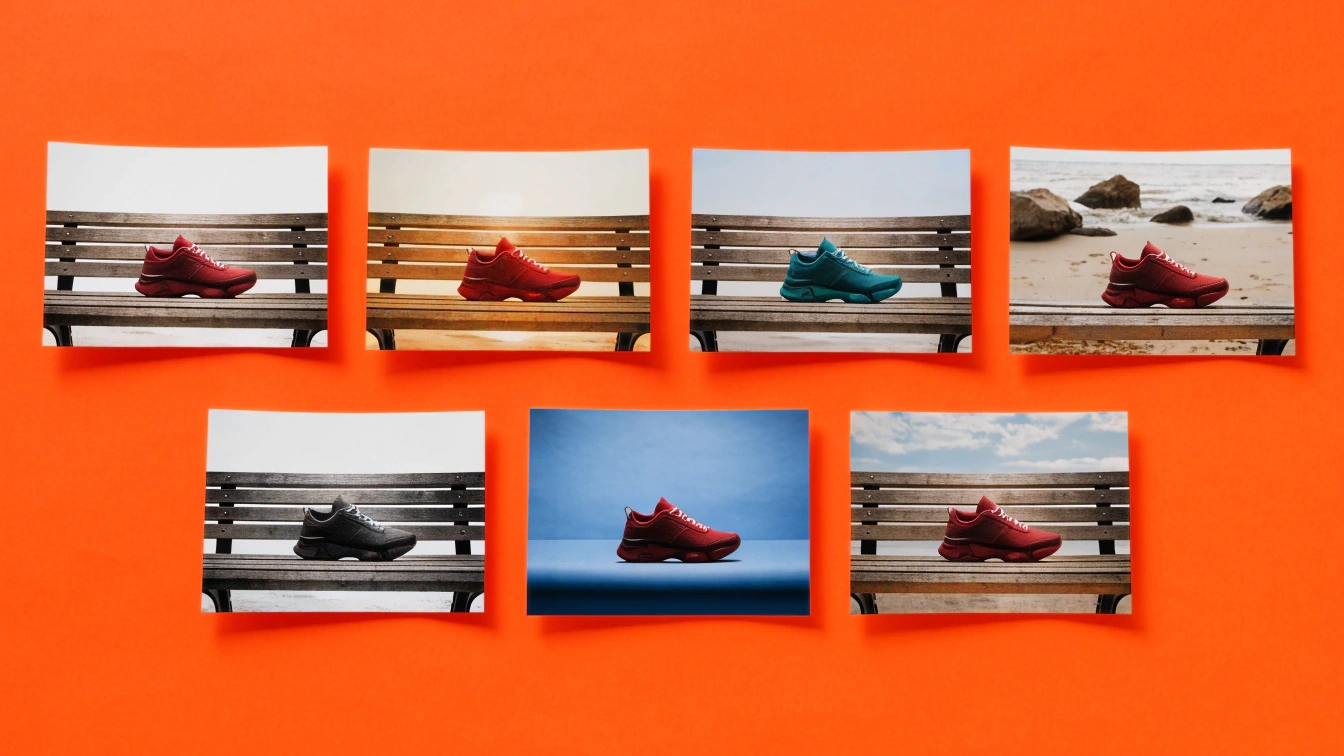
We scored seven editors on the same seven criteria from vendor pages dated November 16, 2026.
Short answerThere is no single best AI photo editor. Photoshop still wins pixel-level control and layered composites, Photoroom wins catalog product shots, Luminar Neo still wins photographer-style relight and sky work, and Recraft is the one to use when the edit has to stay on the same canvas as a prompt, a vector export, or an API job.
Key takeaways
Adobe Photoshop remains the editor for layered composites, masks, and print-critical files, with Firefly Generative Fill and Remove built into the same workspace.
Photoroom is the catalog tool: batch background removal, brand-locked padding, and marketplace-ready exports beat every generalist on product listings.
Luminar Neo is still the photographer's AI editor, with dedicated Relight, Sky, and Enhance tools that browser editors do not match.
Canva, Pixlr, and Picsart win speed for social and mobile work, with several Magic and object tools gated behind paid plans.
Recraft Studio is the prompt-plus-export option: natural-language edits, object erase, background swap, recolor, upscale to 4K, and SVG on one canvas, with a free plan limited to personal use and three uploads a day.
An AI photo editor takes a photograph you already have and changes it with a prompt, a mask, or a one-click model. The seven tools below are the six names current roundups keep repeating, plus Recraft, scored from vendor pages on November 16, 2026.
How we compared the 7 AI photo editors
We scored what each vendor currently documents for these jobs:
Prompt-based edits: can you describe a change in plain language?
Object removal: dedicated erase or generative remove.
Background swap: cutout, replace, or generate a new scene.
Relight and recolor: a dedicated control, or only a prompt.
Batch processing: many files in one job, or one at a time.
Export sizes: formats and the largest output the vendor states.
Free tier: what you can keep without paying, including commercial rights.
The same three edits sit under every tool: remove a stray object, swap the background, and recolor or relight the subject. Where a vendor has no dedicated control, we mark the job as prompt-only or missing.
Criterion
Photoshop
Luminar Neo
Canva
Pixlr
Picsart
Photoroom
Recraft
Prompt-based edits
Generative Fill with Firefly and partner models
GenSwap, GenErase, GenExpand (Prime after year one)
Magic Edit
Instruct Editor, generative fill
Seedream 5.5 and 180+ models
Product and scene prompts, not a general photo retoucher
Natural-language editor on the canvas
Object removal
Generative Remove
GenErase
Magic Eraser (Pro)
Object Remover
Object tools plus model playground
Cleanup on product shots
AI eraser
Background swap
Remove background, Fill, Expand
Sky AI, backdrop tools
Background Remover (Pro), Background Generator
Background Remover, Backdrop
Background tools in the editor
Core job: white, lifestyle, brand scenes
Remove or generate a new backdrop
Relight and recolor
Camera Raw, Neural Filters, prompt fill
Relight AI, Enhance AI (dedicated)
Magic Edit, filters, Auto-adjust
Colorize, Instruct Editor
Model-based recolor
Brand Library colors, not a relight desk
Recolor tool plus prompt relight
Batch processing
Actions, scripts, Firefly web jobs
Catalog-style apply across a shoot
Bulk resize in Brand Kit workflows
One file at a time in the browser tools
Flows and templates
Thousands per job, plus API
API batch jobs, not a desktop catalog
Export sizes
PSD, TIFF, PNG, JPG, print-scale
Desktop print pipeline, Upscale AI
JPEG, PNG, WEBP, HEIC, SVG
Browser exports, Super Scale
Social and web formats
Listing sizes, transparent PNG
PNG, JPG, SVG, PDF, WebP, upscale to 4K
Free tier
7-day trial, then Creative Cloud (US$69.99/mo list)
Trial, then one-time license, generative tools time-boxed
Free editor, Magic Eraser and Background Remover on Pro
Free browser editor, credits on paid
Free start, most models on subscription
Free start, Pro for volume and brand lock
Free: 3 uploads/day, personal use, public files
We checked each vendor page on November 16, 2026. Prices move. Confirm the live plan before you buy.
The same three edits in every tool
Hold these three jobs in your head. They are the ones an AI photo editor either handles in one step or makes you fake with a workaround.
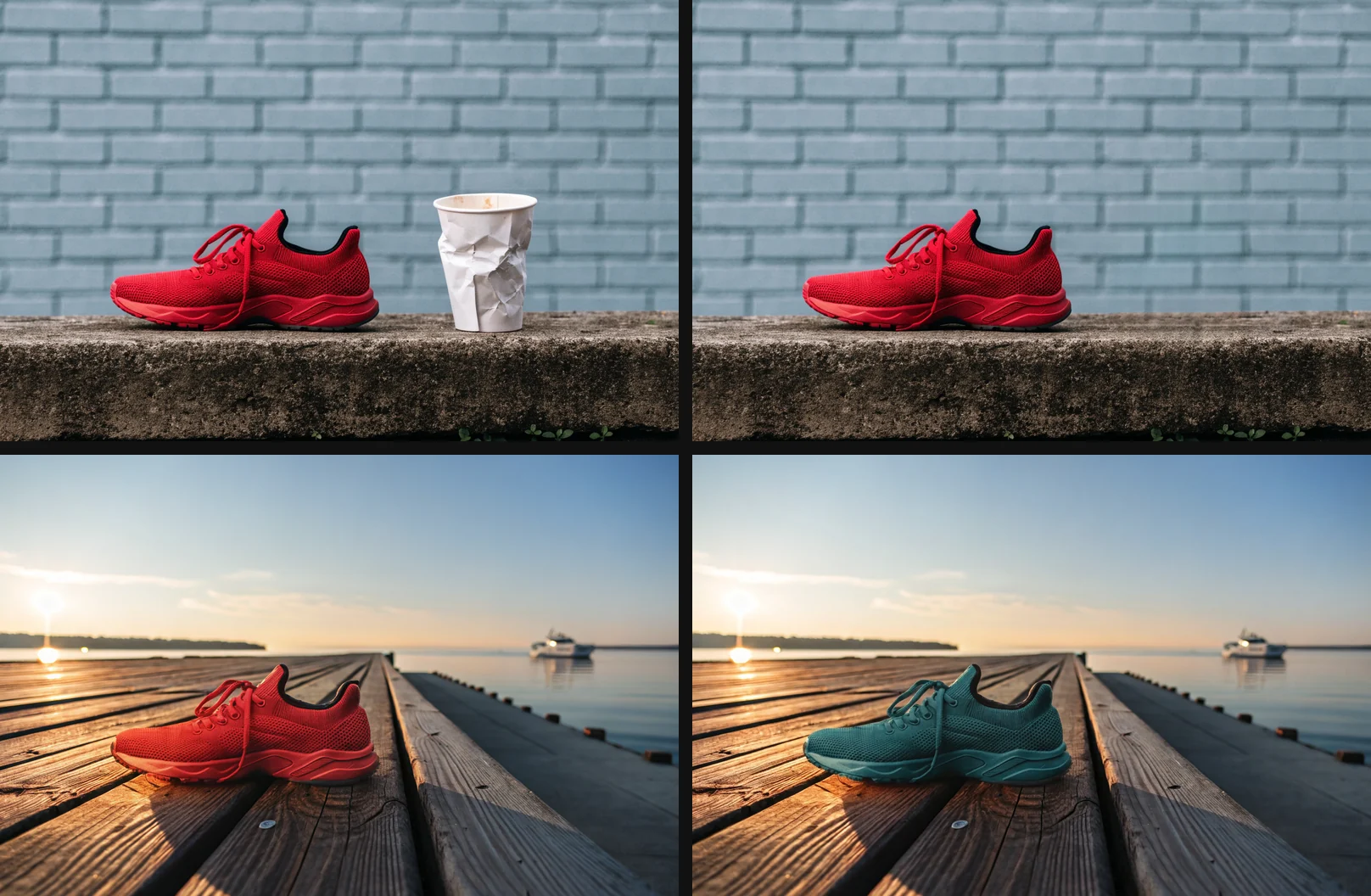
Remove a stray object (a paper cup, a photobomber, a cable).
Swap the background (transparent PNG, studio white, or a new scene).
Recolor or relight the subject without redrawing the product or the face.
Adobe Photoshop
Photoshop still does all three at print quality. Generative Remove and Generative Fill sit next to layers, masks, and Camera Raw, so you can accept an AI pass and then retouch the edge by hand. Adobe lists Creative Cloud Pro at US$69.99 per month. The cost of that control is the subscription, the credit system for partner models, and a UI that is still a professional editor, not a one-prompt page.
Luminar Neo
Luminar Neo is the photographer's answer to the same three jobs. GenErase covers the stray object. Sky AI and backdrop tools cover the scene. Relight AI is the dedicated lighting desk the browser tools lack. Skylum sells a one-time desktop license, then time-boxes generative tools unless you add Luminar Prime. If you shoot RAW landscapes and portraits, this is the AI photo editor that still thinks like a develop module. It is not a design canvas, and it is not an API.
Canva
Canva is fast on social crops. Magic Eraser removes the stray object. Background Generator writes a new scene from a prompt. Magic Edit recolors or swaps a selected region. Canva's own help states the editor is free, and that Background Remover and Magic Eraser require Canva Pro, Teams, or Education. Exports include JPEG, PNG, WEBP, HEIC, and SVG. Canva wins templates and collaboration. It loses when you need a layered PSD, a 4K upscale, or a vector that is not a Canva graphic.
Pixlr
Pixlr is the free-in-browser Photoshop cousin. Object Remover, Background Remover, Backdrop, Instruct Editor, and generative fill cover all three jobs without an install. Pixlr currently lists Flux, Kling, Recraft, and Veo among the models on the homepage. The limit is the browser workflow: one file at a time, credit packs on paid plans, and output that is built for web, not a print RIP.
Picsart
Picsart is a mobile-first creative platform that now fronts 180+ models, including Seedream 5.5 for refine-in-place edits. Object and background tools exist, and the playground can recolor through a model pick. The honest limit is focus. Picsart is built to ship content to every channel, not to finish a single photograph to a retoucher's standard. Flows help teams. A catalog of 10,000 SKUs still belongs in Photoroom or an API.
Photoroom
Photoroom wins job two at catalog scale. Background removal, white and lifestyle scenes, brand-locked padding, and batch jobs of thousands of files are the product. Object cleanup on a product shot is in scope. A general “make this golden-hour portrait” prompt is not. Relight is a listing problem (shadow, bounce, consistency), not a cinematic grade. If the file is going to Shopify, this is the AI photo editor. If the file is a campaign still, look elsewhere.
Recraft
Recraft Studio runs the three jobs on one canvas. The AI eraser fills the stray object. The background remover cuts a transparent PNG or generates a new backdrop. Recolor plus the natural-language editor handle palette and light. You can keep going: upscale up to 4K, convert formats, or vectorize logos and flat art to SVG. The AI photo editor page is the index of those tools. Prompt craft for a single change lives in the text-prompt tutorial. Broader inpaint and erase patterns are in How to Edit Images with AI.
One photo, three edits in Recraft: the original, the paper cup removed with the AI eraser, the background replaced, and the sneaker recolored with the natural-language editor.
The limits are real. Recraft's free plan is personal use only, with three image uploads a day, three generations per style per day, Recraft models only, and public files with no commercial rights. Paid plans start at $10 a month billed annually for Basic. The background remover takes JPG, PNG, or WebP files up to 5 MB. Relight is a prompt, not Luminar's Relight AI. There is no desktop RAW catalog. Batch work goes through the API, not a folder watcher.
Which AI photo editor to pick
Pick Photoshop when the file has to survive a retoucher, a printer, or a legal review. Pick Luminar Neo when the file is a photograph and the job is light, sky, and volume. Pick Photoroom when the file is a product and the job is a thousand SKUs. Pick Canva, Pixlr, or Picsart when the file is going to a story, a listing thumbnail, or a phone. Pick Recraft when the next step after the edit is a vector, a mockup, or another prompt on the same canvas.
For cutouts only, use the background remover comparison instead of this page. For the edit itself, open Recraft Studio and run one of the three jobs on a real file. Try it free.
FAQs
What is the best AI photo editor?
There is no single best AI photo editor. Photoshop still wins layered, print-critical work, Photoroom wins product catalogs, Luminar Neo wins photographer-style relight and sky edits, and Recraft is the pick when the next step is a prompt, a vector, or an API job on the same canvas.
Match the tool to the file's next stop, not to a generic ranking.
Is Recraft a good AI photo editor?
Yes, if the job is a prompt edit, object erase, background swap, recolor, upscale, or SVG on one canvas. Recraft is weaker as a RAW catalog, a dedicated relight desk, or a free commercial pipeline: the free plan is personal use only, with three uploads a day and public files.
Are AI photo editors free?
Most AI photo editors have a free tier, and most hide the useful tools behind it. Canva's editor is free, but Magic Eraser and Background Remover need Pro. Recraft's free plan allows three uploads a day with no commercial rights. Photoshop is a paid Creative Cloud app after the trial.
Can AI photo editors remove objects from photos?
Yes. Photoshop Generative Remove, Luminar GenErase, Canva Magic Eraser, Pixlr Object Remover, and Recraft's AI eraser all target stray objects and fill the gap. Results still fail on hair, glass, and repeating textures, which is why Photoshop remains the fallback when the edge has to be retouched by hand.
Which AI photo editor is best for product photos?
Photoroom is the best AI photo editor for product photos at catalog scale, because batch background removal, brand-locked padding, and marketplace exports are the product. Recraft is a better fit when the same SKU also needs a prompt edit, a mockup, or an SVG. Photoshop is the fit when a retoucher owns the file.